🖼️ Gallery#




These clips are small examples produced with the Blender add-on, covering
a range of motion types: drape, compression, inflation, twisting, and
contact-driven shape change. The first batch was authored in Blender’s UI
(each card links to a downloadable .blend); for the second, the simulated
portion is generated by a Python script in Blender’s Scripting editor while
cameras, lighting, and non-simulated props are still set up in the UI
(each card links to the script). If you want the setup
steps behind them, start with Getting Started
and Workflow.






In the scenes below, the simulated portion was generated by a Python script run inside Blender’s Scripting editor. Cameras, lighting, and any non-simulated props are still set up in Blender’s UI. Each card’s caption links to the script that builds the simulated portion.
UI Look#
A couple of static screenshots of the add-on running inside Blender. The full-size versions are linked under each thumbnail.
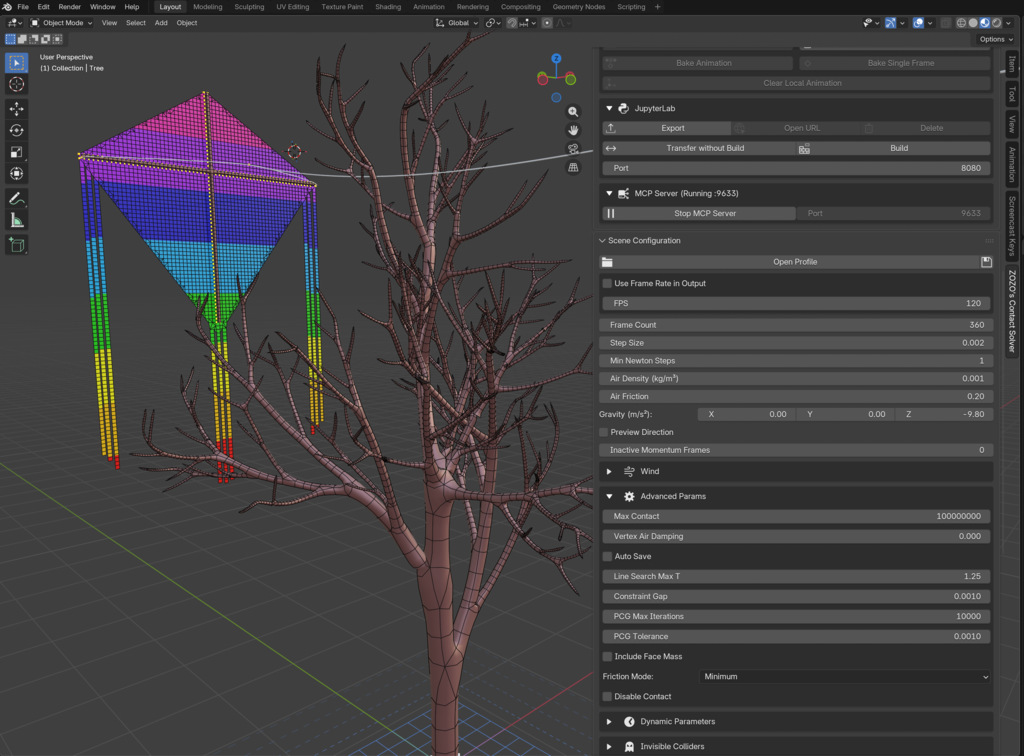 |
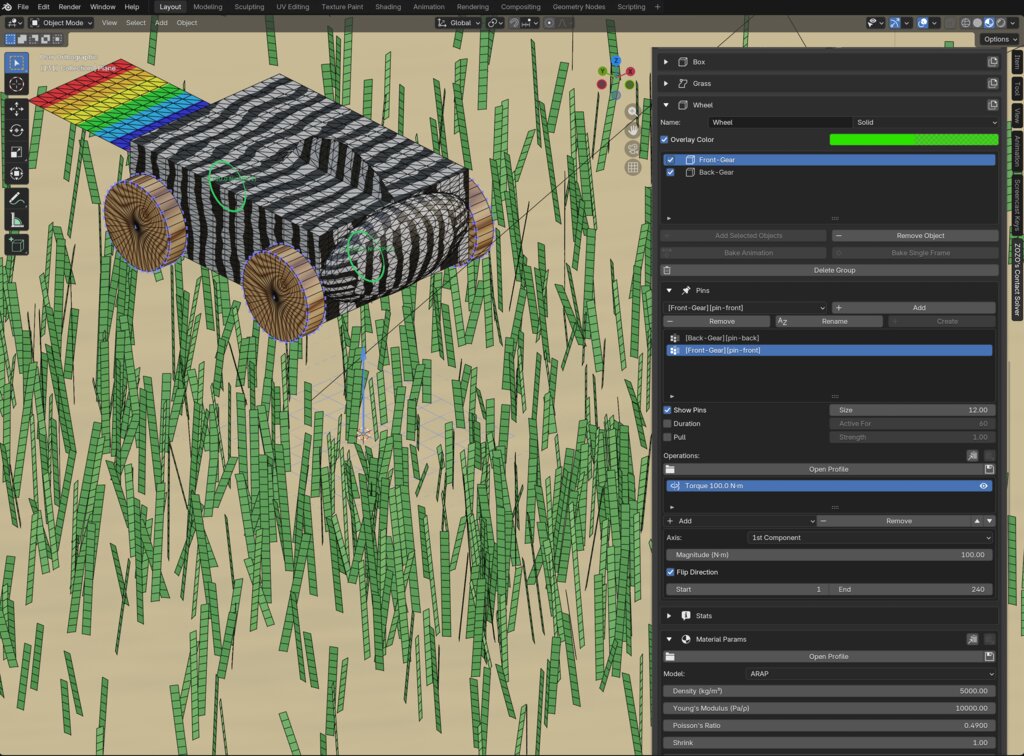 |
| Kite scene set up in Blender. (full-size) | Zebra scene set up in Blender. (full-size) |
The Add-on in Action#
The clip below shows the add-on running inside Blender. Geometry and constraints are authored locally, the simulation runs on a remote solver, and the resulting frames are fetched back and played in the viewport.

The add-on dispatching a scene to a remote solver and playing the fetched results in the viewport.#
From a Python Script to Simulation#
You can also drive the entire pipeline from a Python script inside Blender’s scripting editor. This is handy for procedural scene setup and batch variant generation. Below is a full example that drapes a sheet over a sphere:
import bpy
from bl_ext.user_default.ppf_contact_solver.ops.api import solver

# Reset any prior state.
solver.clear()

# Create a sphere (the static collider) at the origin.
bpy.ops.mesh.primitive_ico_sphere_add(subdivisions=4, radius=0.5, location=(0, 0, 0))
bpy.context.object.name = "Sphere"

# Create a 2x2 sheet just above the sphere as a 64x64 grid.
bpy.ops.mesh.primitive_grid_add(x_subdivisions=64, y_subdivisions=64, size=2, location=(0, 0, 0.6))
sheet = bpy.context.object
sheet.name = "Sheet"

# Pin the two corners on the -x edge via a vertex group.
vg = sheet.vertex_groups.new(name="Corners")
corner_indices = [
    i for i, v in enumerate(sheet.data.vertices)
    if v.co.x < -0.99 and abs(abs(v.co.y) - 1.0) < 0.01
]
vg.add(corner_indices, 1.0, "REPLACE")

# Build solver groups.
cloth = solver.create_group("Cloth", type="SHELL")
cloth.add("Sheet")
cloth.param.enable_strain_limit = True
cloth.param.strain_limit_percent = 5.0
cloth.param.bend = 1

ball = solver.create_group("Ball", type="STATIC")
ball.add("Sphere")

# Pin the two sheet corners.
cloth.create_pin("Sheet", "Corners")

# Scene parameters.
solver.param.frame_count = 100
solver.param.step_size = 0.01
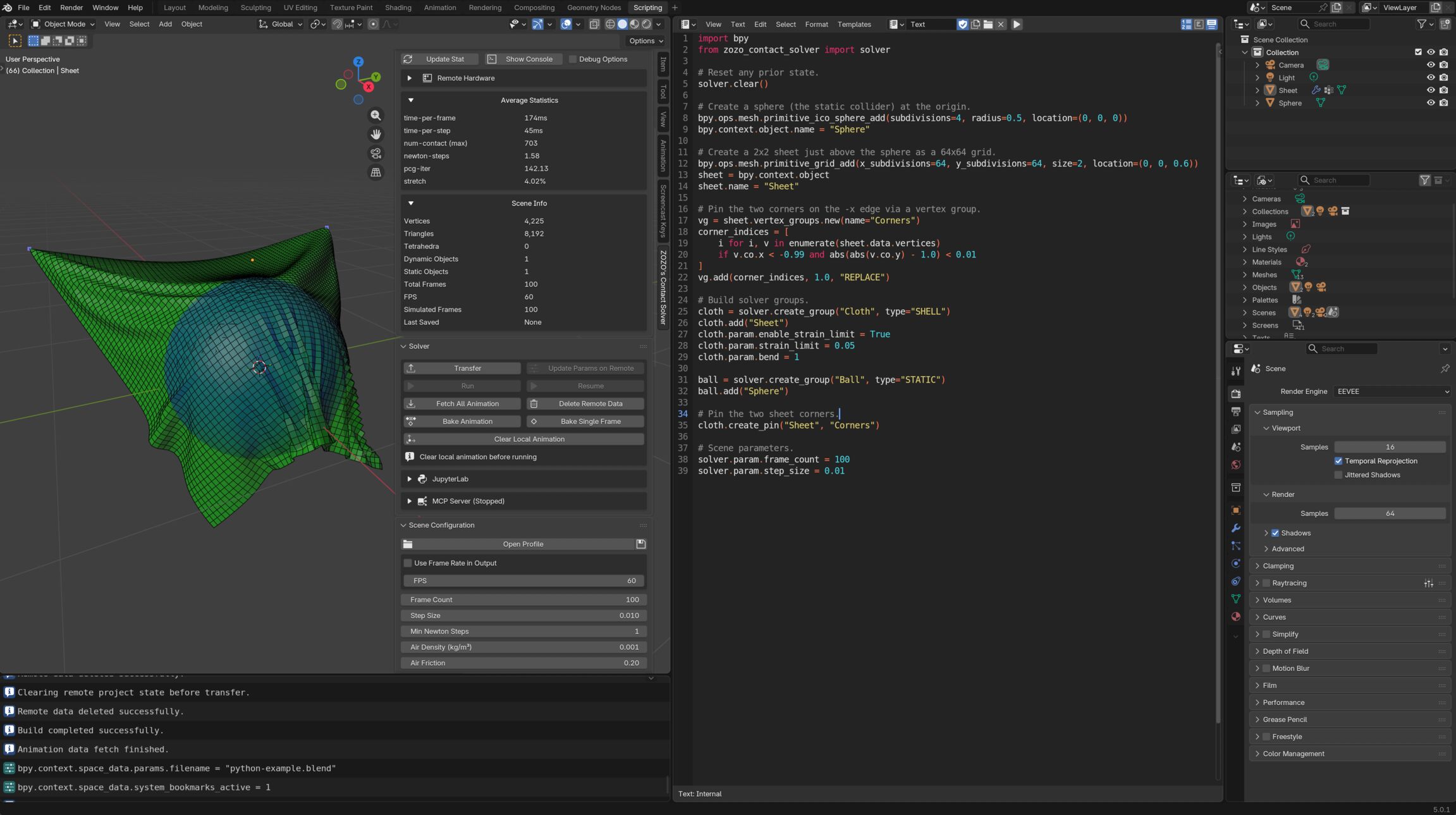
The script above running inside Blender’s Scripting workspace. (full-size)#
From Prompt to Simulation (via MCP)#
The add-on also exposes an MCP server so an external agent can drive Blender and the solver directly. The clip below shows a natural language prompt building a bowl-and-spheres scene end to end, with no UI clicks. See MCP Server for the full setup.

Codex (left) driving Blender (right) through the add-on’s MCP server. See the exact prompt used to produce this clip.#
A prompt: drape a sheet over a sphere and make an animation video mp4 render 300 frames.#