🍰 Baking Animation#
After a successful Fetch All Animation the solver’s output drives each
simulated object through a ContactSolverCache modifier (meshes) or
per-CV keyframes written directly on the curve (rods). That is perfect
while you iterate on a shot, but it keeps every object tied to the
add-on: the animation depends on the .pc2 files on disk, the modifier
on the mesh, and the group membership in the sidebar.
Baking converts that fetched animation into standard Blender data:
per-frame shape keys for meshes, per-control-point keyframes for curves.
After a bake, the ContactSolverCache modifier is dropped, the object leaves its
dynamics group, and the animation is self-contained Blender data that
plays back in any scene, with or without the add-on installed.
There are two flavors:
Bake Animation. Keyframes every fetched frame onto the object. Use this when you are done iterating and want to hand the scene off.
Bake Single Frame. Captures the current frame’s pose only and freezes the object there as Frame 1. Use this to turn a cloth-draping step into the rest pose of the next simulation, or to freeze a pin operation’s final shape.
Baking is not the only way to get a result out of the add-on. When the destination is another application, or when you want to keep iterating on this scene, export a USD or Alembic cache instead: it writes the deformation to a file and leaves every object, modifier, and group exactly where it is.
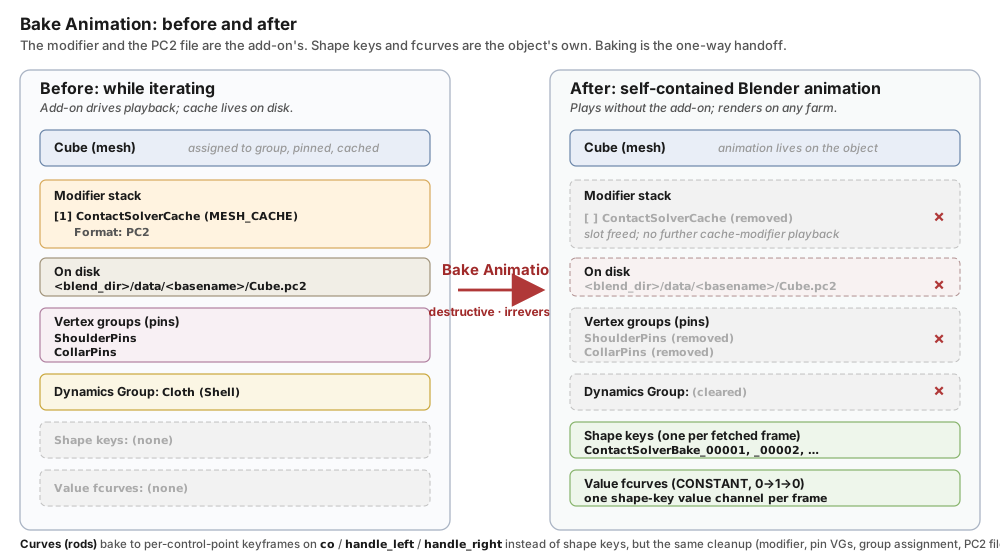
What the object looks like before and after Bake Animation. Everything on the left that is orange (modifier), mauve (pin vertex groups), or yellow (group membership) is the add-on’s; baking removes those and the PC2 file on disk that backs the modifier. What remains on the right (green) is the object’s own Blender data: per-frame shape keys plus the fcurves that drive them. The red arrow only goes one way.#
Note
Baking requires simulation data to exist for the object. Run the Transfer → Run → Fetch All Animation loop (see Running the Simulation) first; the bake buttons are grayed out until there is fetched animation to bake from.
Baking Is Destructive: Duplicate the .blend First#
Once a bake finalizes, it cannot be undone from the UI. For every baked object the add-on:
removes the
ContactSolverCachemodifier from the mesh (or drops the per-CV animation the solver wrote onto the curve for rods),deletes every modifier sitting above
ContactSolverCachein the stack (Armature, Lattice, MeshDeform, and so on), because those fed the captured-deformation cache and would re-deform the baked shape keys at playback. This is a no-op for the usual dynamic object, whose cache sits in the first slot with nothing above it,deletes the
.pc2file from<blend_dir>/data/<basename>/on disk, andremoves the object from its dynamics group, together with any pin vertex groups attached to it.
Every bake button opens a confirmation dialog before any of that runs, and when there are modifiers to strip the dialog lists them by name under These deforming modifiers will also be removed:.
Note
A captured deformation is not part of that cleanup. If the object carried a Capture Deformation recording, as a deforming Static collider or as an animated pin does, that recording stays on disk, and the per-object Clear Deformation Cache button cannot reach it, because the bake has taken the object out of its group. Clear All Deformations, in the Deformations box on the Solver panel, deletes every captured recording in the scene, including the ones left behind this way. Its neighbor Re-capture All Deformations re-records every deforming Static collider and every animated pin in one pass, which is the quick way to bring a scene up to date before the next Transfer. See Static Objects.
Recommended workflow: always bake in a copy of your .blend, so
the pre-bake scene (with its PC2 files, modifiers, and group setup)
stays intact as a fallback.
Save the current
.blend(File → Save).Duplicate the
.blendon disk, outside Blender. Runcp project.blend project_baked.blendin a terminal, or copy the file in Finder / Explorer. Do not useFile → Save Asfrom the currently-open session; the PC2 files need to stay paired with the original.blend.Open the duplicate. The Solver panel detects that the
ContactSolverCachemodifiers still point at<blend_dir>/data/<old_basename>/while the new.blend’s canonical data folder is<blend_dir>/data/<new_basename>/, and surfaces a migration prompt: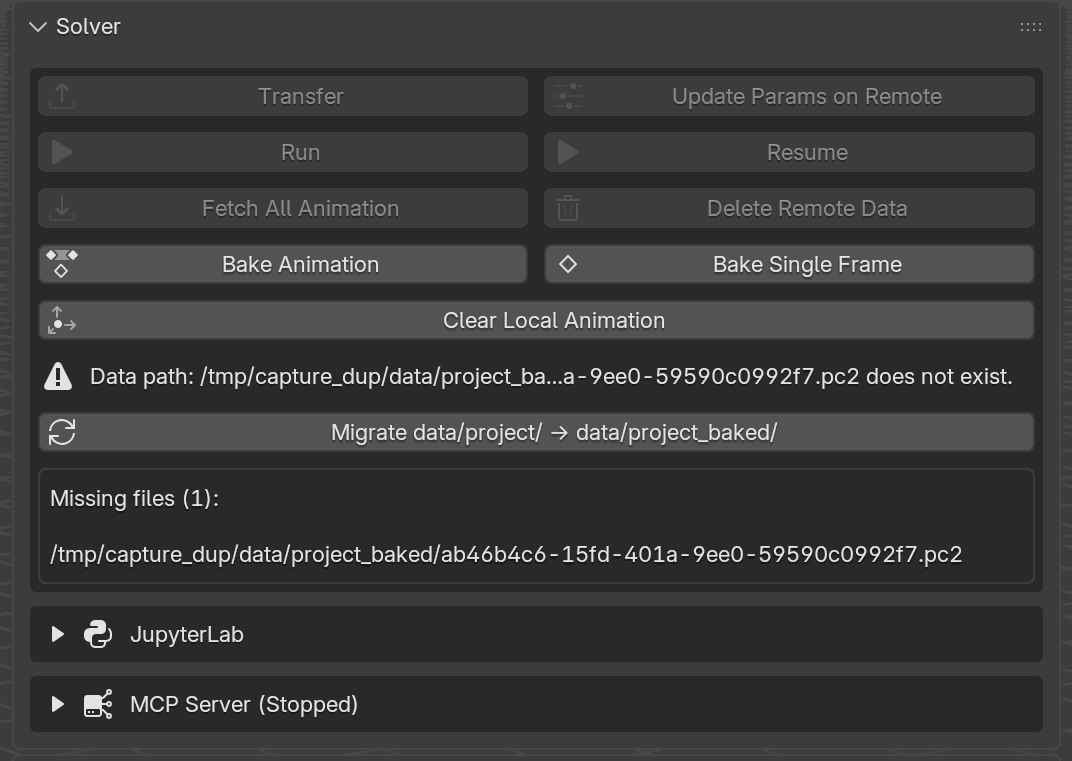
The Solver panel in a freshly-opened duplicate. The error line (Data path: …/data/project_baked/…pc2 does not exist.) flags the missing canonical PC2 data, the Migrate data/project/ → data/project_baked/ button migrates in one click, and the Missing files (N) list underneath enumerates every PC2 that would need to be moved.#
Click Migrate. A dialog appears with From / To folders and a Keep Copy checkbox (checked by default). Leave Keep Copy on; the operator then
shutil.copytreesdata/<old>/→data/<new>/and rewrites everyContactSolverCachemodifier filepath to point at the new folder. The originaldata/<old>/stays untouched, so the source.blendkeeps working.Save the duplicate once more so the rewritten modifier filepaths are persisted.
Bake in the duplicate. The PC2 files that get deleted belong to
data/<new_basename>/; the original.blend’sdata/<old_basename>/is preserved.
Tip
Unchecking Keep Copy switches the migration from shutil.copytree
to os.rename, saving disk space at the cost of leaving the original
.blend pointing at a folder that no longer exists. Only turn it off
when you are certain you want to abandon the source .blend.
Warning
The migration button only appears when the mismatch is unambiguous:
every ContactSolverCache modifier points into a single
data/<old>/ folder, and that folder is still on disk. Mixed prefixes
or a missing source folder return no migration target, and the
Solver panel shows only the missing-file warning. In that case the
cleanest recovery is to manually copy data/<old>/ →
data/<new>/ with the file manager / cp -r, then reopen the
.blend.
The Solver Panel (Bake All Objects)#
The Solver panel exposes a row that bakes every dynamic object in the scene in one go. The buttons sit directly under Fetch All Animation and Delete Remote Data:
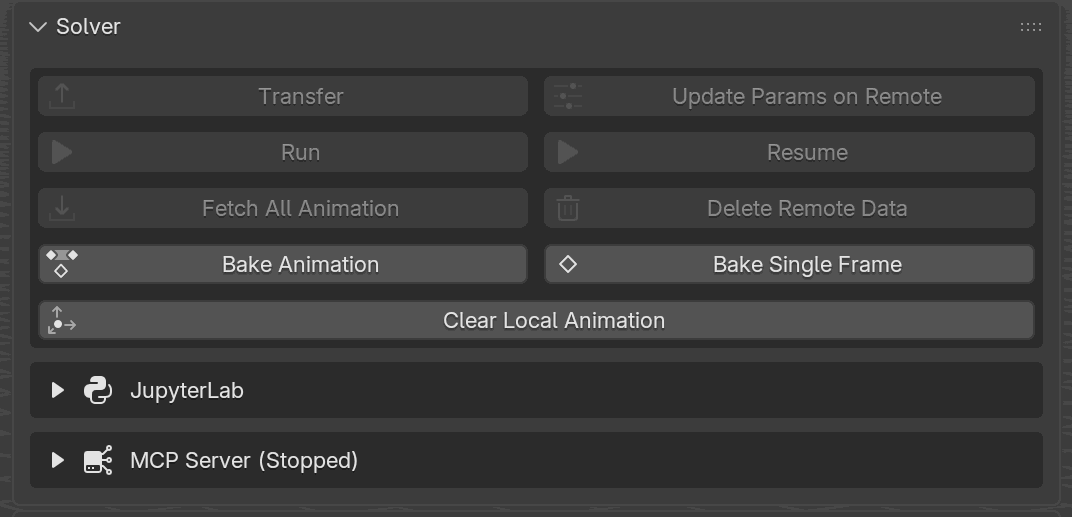
The scene-wide bake row on the Solver panel. Bake Animation (left) writes every fetched frame onto every simulated object as shape-key or curve keyframes; Bake Single Frame (right) freezes the current frame onto every simulated object as their new Frame 1.#
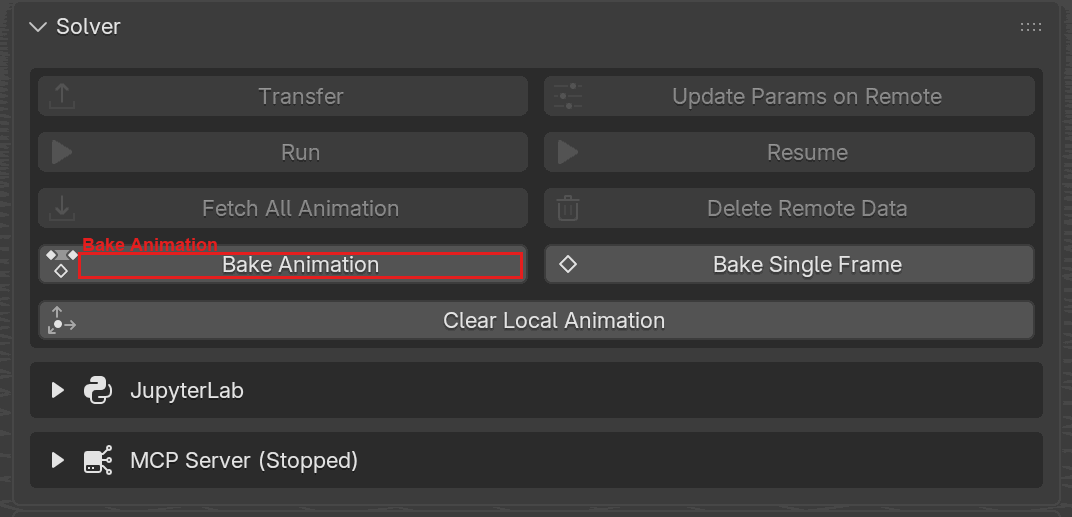
Bake Animation runs as a modal job with a progress bar. The panel
shows a live Baking <object> [N/total] status line and an Abort
button while frames are keyframed. Abort restores every modifier / shape
key / fcurve to its pre-bake state.#
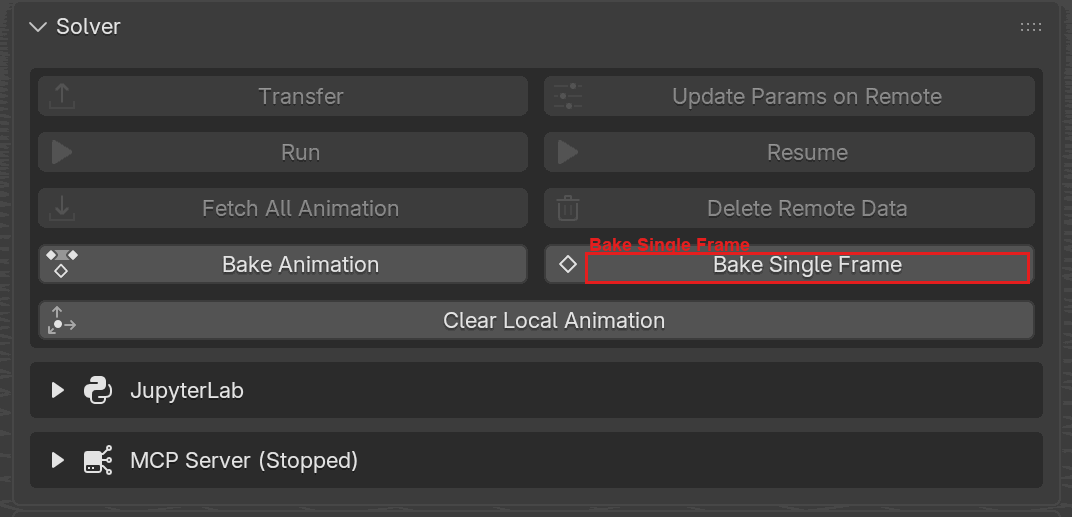
Bake Single Frame is synchronous: it opens its confirmation dialog, and on confirm freezes every dynamic object at the viewport’s current evaluated pose, applies it to frame 1, and removes the object from its group.#
Both scene-wide buttons are enabled only when at least one active group has an assigned object carrying simulation animation (that is, only after a successful Fetch). Bake Animation additionally refuses to start while any animation frames are still unfetched (Unfetched animation frames exist): Fetch All Animation first. Bake Single Frame carries no such check. While a bake job is running, Run, Resume, Fetch All Animation, Clear Local Animation, the bake buttons themselves, and everything in the Deformations and Export boxes go inert. Not every button on the panel is gated on the bake, though: Transfer, Update Params on Remote and Delete Remote Data stay clickable, as do the JupyterLab and MCP Server boxes. Do not press them mid-bake; wait for the progress bar to finish, or press Abort first.
The Dynamics Groups Panel (Bake One Object)#
Each group box has its own Bake Animation / Bake Single Frame row, sitting below the Add Selected Objects / Remove Object row. These bake only the object currently selected in the group’s list, not the whole group or the whole scene:
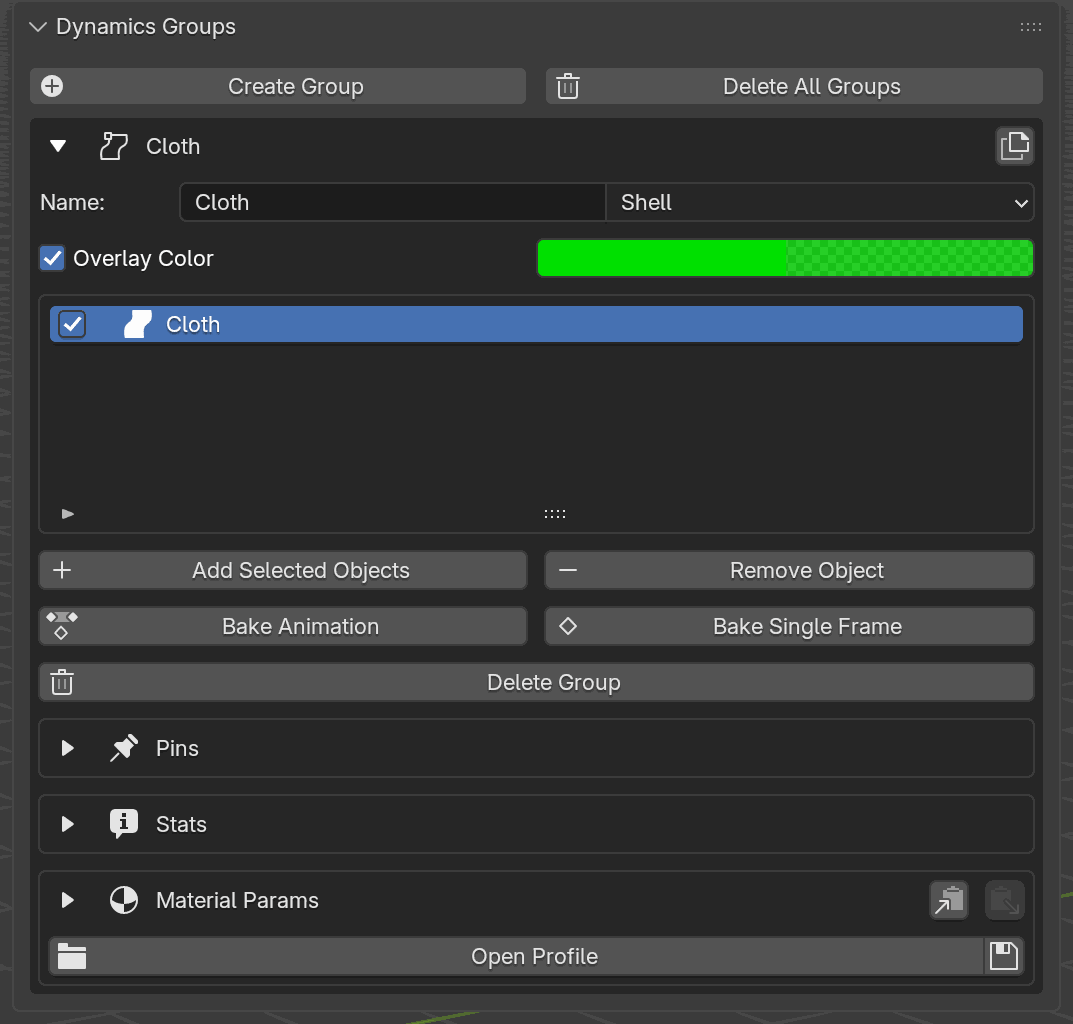
The per-group bake row on each Dynamics Groups box. The two buttons are enabled when the row highlighted in the assigned-object list has fetched animation. The baked object leaves the group (so it won’t be re-simulated on the next Transfer) but keeps its keyframes.#
Per-object Bake Animation uses the same modal progress + Abort flow as the scene-wide version, so the panel stays interactive for the other groups while one object bakes.
What Ends Up on the Object#
The output format depends on the object type:
Object type |
What gets keyed |
Modifier removed |
|---|---|---|
Mesh |
One shape key per fetched frame, named |
|
Curve |
Per-control-point keyframes on |
|
After baking, the object:
No longer appears in its Dynamics Groups slot; the assignment is cleared, together with any pin vertex groups attached to it.
Still plays back its simulated motion in Blender’s timeline, because the animation now lives in shape keys / fcurves on the object itself.
Can be moved, duplicated, appended to other
.blendfiles, or rendered on a render farm without shipping the.pc2file.
Warning
For meshes, Bake Animation adds one shape key per frame. The add-on refuses to bake a mesh that already carries non-Basis shape keys, because mixing baked keys with user-authored ones would double-blend. Remove extras manually (shape-keys panel, then trash icon) before baking.
Aborting a Bake#
Bake Animation runs modally. While the bake is in progress the Solver panel shows:
A status line (
Baking <object> [N/total]) updating as frames are keyed.A progress bar (
% (done/total)).An Abort button (red “X” icon).
Pressing Abort reverts every partial change: shape keys inserted so
far are removed, their value fcurves are stripped, bezier handle types
are restored, and the ContactSolverCache modifier + PC2 file stay
intact, so you can immediately press Bake Animation again or go
back to iterating.
Bake Single Frame does not run modally and cannot be aborted. Like every bake button it opens a confirmation dialog first, and once confirmed it finishes in one operator call.
Bake Order and Static Groups#
Bake Animation walks through active groups in slot order
(object_group_0 → object_group_31) and bakes every assigned object.
Static groups are included so their ContactSolverCache modifier
and PC2 file get cleaned up too, leaving every bakeable group empty
once the scene-wide bake finishes. See
Static Objects → Baking behavior
for the full story on what bake does to a Static object depending on
whether it was driven by Blender keyframes or by Static ops.
Groups that hold curves alongside meshes bake both: meshes emit shape keys, curves emit per-CV keyframes, and both end up on standard Blender timelines.
Blender Python API#
Baking is exposed through the add-on’s registered operators:
import bpy

# Scene-wide: bake every dynamic object.
bpy.ops.solver.bake_all_animation()          # modal; returns immediately
bpy.ops.solver.bake_all_single_frame()       # synchronous

# Per-object, per-group (group_index is the slot 0..31).
bpy.ops.object.bake_animation(group_index=0)
bpy.ops.object.bake_single_frame(group_index=0)

# Abort the running bake (no-op if none is running).
bpy.ops.solver.bake_abort()
For LLM / MCP-driven flows, the same actions are exposed as the
bake_all_animation, bake_all_single_frame, bake_group_animation,
and bake_group_single_frame handlers (see
MCP Integration). An MCP tool carries the
bare handler-function name; the scene. / group. prefixes are just the
handler module files and are not part of the name a client calls.
Under the hood
Operator names
Button |
|
|---|---|
Solver panel → Bake Animation |
|
Solver panel → Bake Single Frame |
|
Dynamics Groups → Bake Animation |
|
Dynamics Groups → Bake Single Frame |
|
In-progress bake → Abort |
|
Shape key naming
Baked mesh shape keys are named ContactSolverBake_<frame:05d>. The
value channel for each key is driven with three keyframes (0 at
frame-1, 1 at frame, 0 at frame+1), and every keyframe is
forced to CONSTANT interpolation so frame N plays exactly one shape
key, with no blending.
Abort safety
The modal operator snapshots enough state before it starts that an abort is non-destructive:
For meshes: the pre-existing set of shape-key names and whether the shape-key block existed at all. Abort removes only the keys the bake added, and deletes the shape-key block if the bake created it.
For curves: the pre-existing set of
(data_path, array_index)fcurve keys and the per-spline(handle_left_type, handle_right_type)snapshot. Abort removes fcurves that didn’t exist before and restores bezier handle types that were forced toFREEduring the bake.
The ContactSolverCache modifier and the .pc2 file on disk are never
touched by an abort, so the pre-bake state is fully recoverable.